

Team and roles
Everyone in a workspace has one role. Owners and admins manage the team under Settings, Team.
Invite someone
- Open Settings, Team.
- Under Invite people, enter the Email, a Name (optional) and the Role.
- Press Send invite.
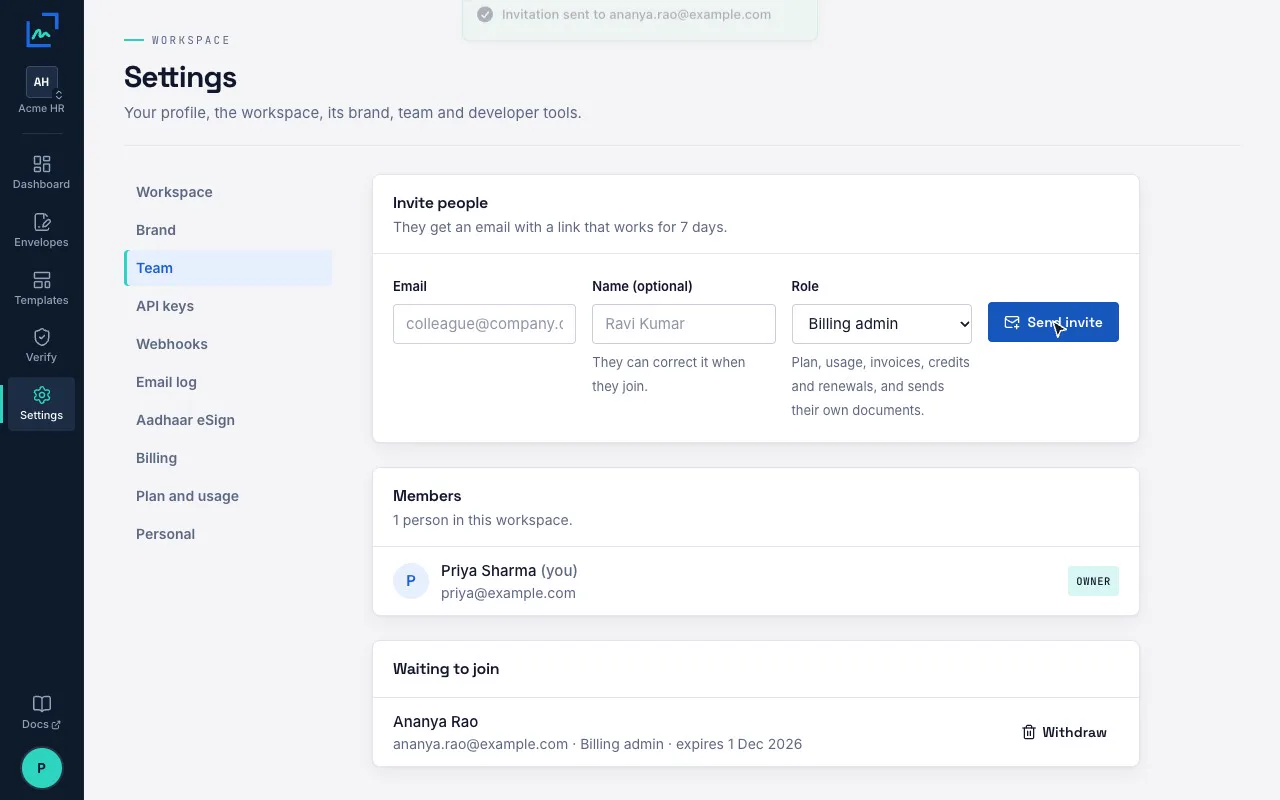
They get an email with a link that works for 7 days. Inviting the same address again replaces the earlier invitation. Open invitations are listed under Waiting to join, where Withdraw cancels one.
The person opens the link and either signs in (Accept invitation) or creates an account with a name and password (Create account and join). The invitation only works for the address it was sent to.
On the cloud, people and open invitations count towards the plan's members: 2 on Free and 25 included on Cloud, counted once per person across all the workspaces of the account. See Plans and pricing.
Roles
| Role | In short |
|---|---|
| Owner | Everything, including owners and deleting the workspace. |
| Admin | Settings, brand, API keys and the team. Not invoices or payments. |
| Billing admin | Plan, usage, invoices, credits and renewals, and sends their own documents. |
| Member | Sends documents and uses templates. |
| Viewer | Sees documents and their progress. |
What each role can do
| Can | Owner | Admin | Billing admin | Member | Viewer |
|---|---|---|---|---|---|
| See envelopes and their progress | Yes | Yes | Yes | Yes | Yes |
| Send documents, use templates, bulk send | Yes | Yes | Yes | Yes | No |
| Void what they sent | Yes | Yes | Yes | Yes | No |
| Void anyone's envelope | Yes | Yes | No | No | No |
| Get a signing link to share by hand | Yes | Yes | No | No | No |
| Workspace settings, address, time zone, public records | Yes | Yes | No | No | No |
| Brand | Yes | Yes | No | No | No |
| API keys, webhooks, email log | Yes | Yes | No | No | No |
| Aadhaar eSign settings page | Yes | Yes | No | No | No |
| Invite and manage Admins, Members and Viewers | Yes | Yes | No | No | No |
| Make or remove Owners and Billing admins | Yes | No | No | No | No |
| Billing: plan payments, credits, invoices (cloud) | Account holder | No | Yes | No | No |
| See Plan and usage (cloud) | Yes | Yes | Yes | Yes | Yes |
| Transfer the workspace | Account holder | No | No | No | No |
The account holder is the person whose plan the workspace is on: usually whoever created it. They are always an owner of it. Other owners run the workspace but do not see the account's invoices or pay for it, because the account and its money are not theirs.
An API key acts for its workspace; see API keys and webhooks.
Billing admin
A billing admin looks after the account's money without running the workspace: they see the plan and usage, download invoices, buy Aadhaar eSign credits, and renew, upgrade or add members. They send their own documents like a member. They cannot manage the team, API keys, webhooks, brand or settings, and an admin who is not a billing admin cannot open invoices.
Only an owner can make someone a billing admin, or change or remove one. When a workspace is transferred, its billing admins become members, because what they were trusted with was the previous account's money.
Change or remove someone
In the members list, pick a new role from the dropdown, or use the remove button and confirm.
- Owners and Billing admins are given, changed and removed only by an owner.
- The last owner cannot be removed or made something else: make someone else an owner first.
- The account holder always stays an owner of the workspace.
There is no Leave button yet: ask an owner or admin to remove you.