

Templates in the app
A template is a document you send often, such as an offer letter or an NDA, saved with its roles and fields. Sending it later only needs the names and emails. To use templates from your own product, see Templates over the API.
Create a template
Open Templates, then New template. It takes four steps:
- Documents: the PDFs, as when sending.
- Roles: a placeholder for each person, such as "Employee" or "HR". Give each a Role name, what it Does (sign, approve or get a copy), its Identity check and the signing order. Aadhaar eSign is chosen when sending, not in a template.
- Fields: place each role's fields, as when sending.
- Details: a name (up to 120 characters) and a description (up to 500).
On the Free plan an account has 2 active templates across its workspaces; archived ones do not count.
Send from a template
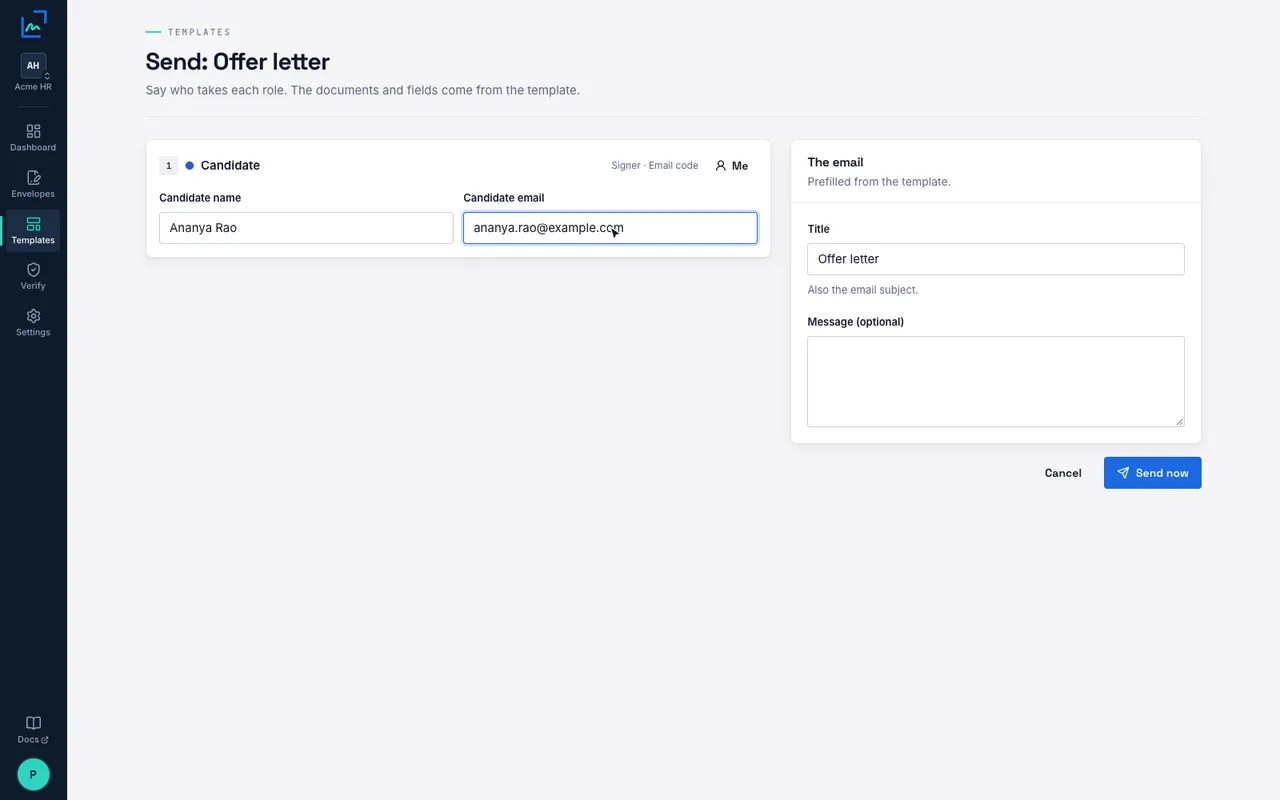
Press Use on the template, fill in each role's name and email, then Send now. The envelope works like any other: see Send a document.
To send the same template to many people at once, use Bulk send.
Change, copy or archive
- Edit changes the template. Envelopes already sent from it do not change.
- Duplicate makes a copy to change separately.
- Archive hides it from the list and frees a place on the Free plan. Restore it from the Archived tab.