

Credits and billing
This page is about the hosted app at sign.codevibe.in. A self-hosted install has no credits and no billing pages; see Self-host with Docker.
Billing belongs to your account: one set of billing details, one wallet of credits and one list of invoices for all the workspaces you created. The account owner finds everything here under Settings, Billing, in any of those workspaces. Admins of a workspace see who manages it instead.
Billing details come first
Before the first payment, add the details that are printed on your invoices: the legal name, the address with its state and PIN code, a billing email and, if you have one, your GSTIN. The GSTIN is checked as you type, including that it belongs to the state you chose. Billing is available for addresses in India.
Aadhaar eSign credits
One completed Aadhaar eSign uses one credit. Credits are bought in packs. The page shows the price of one eSign on your plan, the pack total, the GST and the amount to pay before anything is charged. If the price is not published yet it says "Price coming soon" and nothing can be bought.
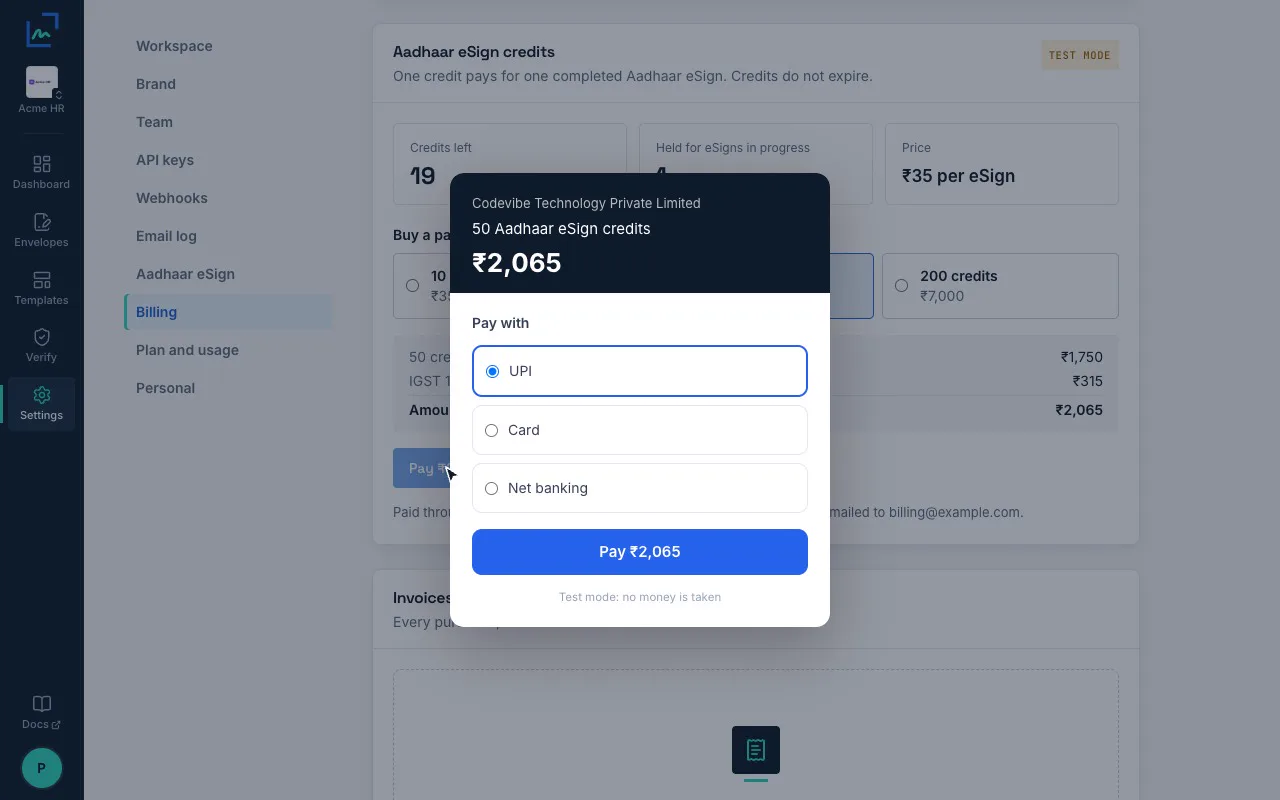
Under Buy a pack, pick a pack of credits; the page adds the GST and shows the Amount to pay. Press Pay with that amount: payment is by card, UPI or net banking through Razorpay. The credits are added as soon as the payment is confirmed, which usually takes a few seconds, and the page says so with a link to the invoice. If you close the window early, the payment is still confirmed in the background and the credits appear on the page.
When a credit is used
| What happens | The credit |
|---|---|
| The signer starts the Aadhaar eSign | is held |
| The eSign completes | is used |
| The signer declines, or the eSign fails | is returned |
| The eSign is not finished in time (24 hours) | is returned |
| The envelope is voided or expires while waiting | is returned |
| The signer starts again after a failure | a credit is held again, as at first |
| The signer starts again with other details | a second credit is held; the first is returned when its request runs out |
The page shows credits as available and held, with a history of every purchase, hold, use and return. A balance never goes below zero: with no credit available, an envelope with an Aadhaar signer cannot be sent.
Rarely an eSign is signed after its credit was returned, for example when the signer finishes at the provider after the wait ended, and no credit is left by then. That eSign is shown as owed. The next credits you buy pay for it first, and Aadhaar eSign starts again after that.
Credits do not expire. This is the current policy. If the account moves from Cloud to Free, the credits it has stay and can still be used; credits bought while on Free are at the Free price.
A Cloud account that connects its own Leegality account uses no credits; see Aadhaar eSign with Leegality.
GST tax invoices
Every payment, whether for credits, a Cloud term, extra members or installation help, produces a GST tax invoice as a PDF. It is emailed to your billing email and listed under Settings, Billing. What it contains, how it is numbered, who can see it and what happens on a refund are in Invoices and credit notes.
Cloud plan payments
Paying for the Cloud plan and for extra members works the same way and is described under Plans and pricing.
Billing admins
The account owner can make someone a Billing admin under Settings, Team. A billing admin sees the plan, usage and invoices, buys eSign credits and renews or upgrades the plan, without managing the team or settings. See Team and roles.
Transferring a workspace
The account owner can move a workspace to someone else's account from Settings, Workspace, Transfer ownership. Invoices already issued, eSign credits and the subscription stay with the account that paid for them; documents, templates, members, API keys and webhooks move. See Transfer a workspace.